How to give ChatGPT your company's knowledge: 7 ways, compared
Giving ChatGPT your company's knowledge means letting it read your instructions, files and work tools when it answers, because you can't train the model itself. The real options are custom instructions and memory, Projects with files and project instructions, apps inside plugins that read your tools live, the Company Knowledge plugin on Business, Enterprise and Edu, and custom MCP apps for your own systems. Custom GPTs still work for now, but OpenAI is retiring them on December 11, 2026.
The ways to give ChatGPT company knowledge, compared
| Method | What it is | Best for | Plan and limits |
|---|---|---|---|
| Pasting into a chat | You copy text or files into one conversation | A one-off question | Any plan. Gone in the next chat, and everyone pastes their own version |
| Custom instructions and memory | Standing notes applied to every chat, plus details ChatGPT remembers about you | Your role, what the company does, house style | All plans. 1,500 characters on Free and Go, 5,000 on Plus and above. Per person, not shared |
| Projects | A space for related chats, files and project instructions | One client, product or recurring job | All plans. 5 files on Free, 25 on Go and Plus, 40 on Pro, Business, Enterprise and Edu. Files are copies that go stale |
| Custom GPTs | Instructions plus up to 20 knowledge files, packaged as a GPT | Existing GPTs only | Retiring December 11, 2026. Personal plans can't create new ones. Move to a project or plugin |
| Apps inside plugins | Live links to Drive, Slack, Gmail, SharePoint, Notion and more | What's in your tools right now | Depends on app, plan, region and workspace. Each person connects their own. Sees only what that account can see |
| Company Knowledge | A plugin that answers across all the sources available to you, with links | Questions that span several tools | Business, Enterprise and Edu. Only as good as each person's connected apps |
| Custom MCP apps | Your own system connected over the Model Context Protocol | An internal database or a tool with no app | Business, Enterprise and Edu, on the web. Admins publish it. Someone has to build and maintain it |
Taken from OpenAI's help center, checked November 10, 2026. OpenAI renames and moves these features often, so check the current menus before you set anything up.
Can you train ChatGPT on your company data?
No, and you don't need to. Nothing you upload or connect changes the model. Every method on this page works by putting the right material in front of ChatGPT at the moment you ask, the way you'd hand a new hire the client file before a call.
Picture an office manager at a 9-person accounting firm who wants to "train ChatGPT on our procedures." What she actually wants is for it to answer from the procedures binder. That's a Project with the binder uploaded, or a connection to the shared drive where the binder lives. No training involved.
OpenAI uses the word training for something else: whether your conversations help improve its future models. That's a privacy setting, covered in the limits section below.
Why doesn't pasting company information into ChatGPT work?
Pasting works for one question and then stops. The text lives in that one conversation, so the next chat starts without it, and every person pastes their own version.
An account manager at a 12-person agency pastes the client brief into ChatGPT every Monday. By week three there are three versions of the brief in three chats, and today's is missing last Thursday's scope change. Copying client files into whichever account happens to be open is also how company data ends up in personal accounts nobody manages. Our guide to shadow AI covers why that happens.
How do custom instructions and memory help?
Custom instructions are standing notes ChatGPT applies to every chat, and memory is what it keeps about you over time. Both are good for the basics about you and your company, and neither is a place to keep documents.
You set custom instructions under Settings, then Personalization. Free and Go users get 1,500 characters, and Plus, Pro, Business, Enterprise and Edu users get 5,000. That's room for your role, what the company does, who the customers are and how you like answers written.
The owner of a 6-person landscaping company might write: "We do residential design and maintenance in two counties. Customers are homeowners. Keep the tone friendly and quote prices as ranges." Every chat starts from that.
Memory can also draw on past chats, saved files and connected apps, but OpenAI says it doesn't keep every detail. Both features are per person, too. Your colleague's ChatGPT knows none of it.
How do you use ChatGPT Projects for company knowledge?
A Project keeps related chats, files and instructions together, so every chat inside it starts with the same background. For most small teams it's the best place to start.
- Select New project in the sidebar and name it after a client, product or recurring job.
- Add files: PDFs, docs, spreadsheets, images or pasted text. Free allows 5 files per project, Go and Plus 25, and Pro, Business, Enterprise and Edu 40.
- Open the ••• menu, then Project settings, and add project instructions. They apply only inside the project and override your global custom instructions.
- Select Share if teammates need it, and give each person chat or edit access. Shared projects use project-only memory, so the project doesn't mix with anyone's other chats.
In a private project you can also add a Google Drive file or folder, or a Slack channel, as a source.
A project lead at a 15-person architecture studio sets up one project per client with the brief, the planning notes and the fee letter. Anyone on the job opens it and asks, "What did we agree about the rear extension?"
The catch is that uploaded files are copies. When the brief changes in Drive, the project keeps the old one until someone replaces it.
What happened to custom GPTs?
OpenAI is retiring custom GPTs on December 11, 2026, and moving them to plugins. A GPT bundles instructions with up to 20 knowledge files of up to 512 MB each.
New GPTs can no longer be created on Free, Go, Plus or Pro, and new creation ended on October 26, 2026 for affected Enterprise workspaces. Existing GPTs keep working until retirement, and some workspaces have until February 11, 2027. When migration is available to you, My GPTs shows Migrate to plugin. The instructions become a skill, the knowledge files become the plugin's reference files, and connected apps come along. Custom actions don't transfer, so anything that called another system needs rebuilding.
An ops lead at a 20-person recruiting firm with an "onboarding GPT" has two options: migrate it to a plugin, or recreate it as a shared project with the same instructions and files. OpenAI suggests a project for GPTs that were used for ongoing work. Either way, test it with familiar questions before the cutoff.
How do apps and plugins give ChatGPT live company knowledge?
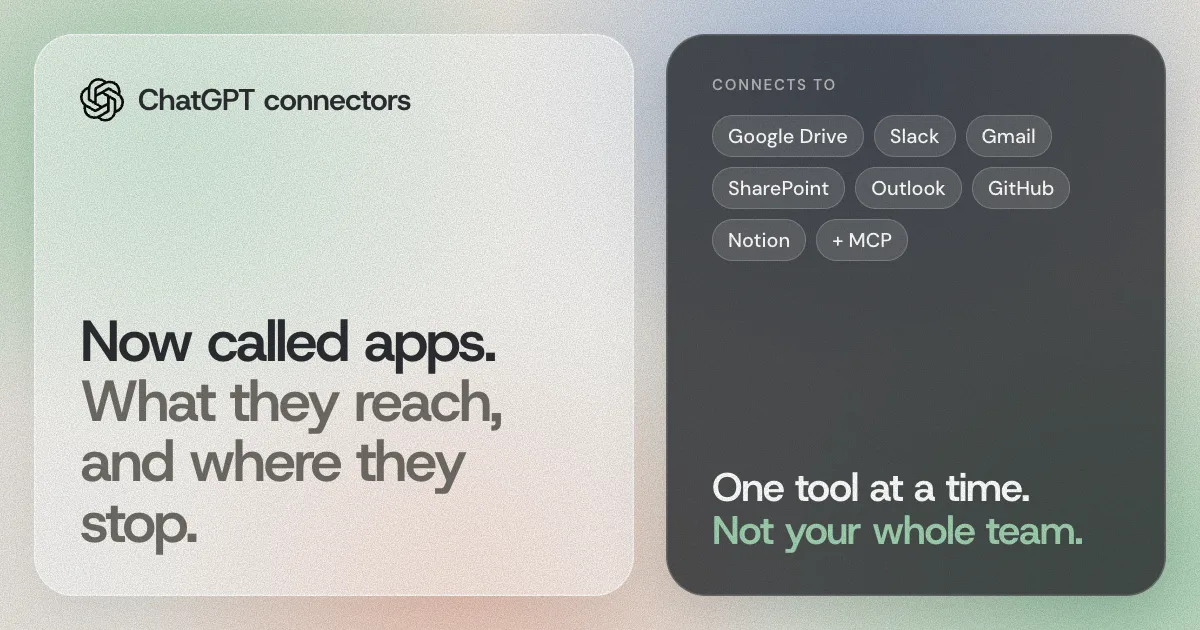
Apps, the feature that used to be called connectors, let ChatGPT search the tools where your knowledge already lives, such as Google Drive, Slack, Gmail, SharePoint and Notion. Since July 2026 they come packaged inside plugins, which can also carry skills, meaning reusable instructions for a job. Setup steps, the app list and permission settings are in our guide to ChatGPT connectors.
Apps fix the stale-copy problem. A sales lead at an 8-person software reseller asks, "What did the buyer at the hospital group say in their last three emails?" and ChatGPT reads Gmail as it is today.
You may have read about synced versus live apps. Sync meant an admin had ChatGPT index a source ahead of time so answers came back faster, while a live app searches the source when you ask. OpenAI's admin and troubleshooting pages now say app sync, including administrator-managed sync, is no longer available. So expect apps to look things up live, using whatever your connected account can open.
Each person connects their own accounts, and ChatGPT only sees what that account can see.
What is ChatGPT Company Knowledge?
Company Knowledge is a plugin on ChatGPT Business, Enterprise and Edu that answers questions about your organization using the sources available to you, including connected apps and custom MCP apps. You type @Company Knowledge or pick it from the + menu, then ask.
A customer success lead at a 30-person software company asks, "Summarize this account's latest feedback and risks," and gets one answer drawn from the sources she has connected, with links to check.
It respects each source's permissions, so a person only gets answers from what they could already open. That's the right behavior, and it also means two colleagues can ask the same question and get different answers, which we explain in why AI gives different answers. On Business, apps are on by default. New Enterprise and Edu workspaces start with a selected set, and an admin may need to turn on the plugin or a source first.
When do you need a custom MCP app?
You need one when the knowledge lives in a system ChatGPT has no app for, like an internal database or a tool you built yourself. MCP, the Model Context Protocol, is an open standard for connecting AI tools to data, and ChatGPT can connect to a custom MCP server.
Custom MCP connections are available on Business, Enterprise and Edu, on the web. On Business, only admins and owners can create and publish them. On Enterprise and Edu, admins can also let selected members build them and choose which actions each app may take. Once published, Company Knowledge can search it alongside your other sources.
An operations manager at a 25-person freight company could connect the shipment tracking database so staff can ask ChatGPT where a load is. Someone has to build and maintain that server, though, so this is a job for a developer, not an afternoon.
What's the best way for a small team to set this up?
Start with the simplest layer and add the next only when it runs out. For a 10-person marketing agency:
- Put everyone on work accounts in a Business workspace, so company data stays out of personal accounts and isn't used for training by default.
- Agree a short set of custom instructions everyone adds to their settings: what the company does, who the clients are, the house style.
- Make one shared project per client or service line with the brief, the process doc and the latest report. Name one owner who replaces files when they change.
- Connect the apps where live knowledge sits, usually Drive or SharePoint, Slack and email. Each person connects their own.
- Use @Company Knowledge for questions that cross tools.
- Leave custom MCP apps until there's a specific system people keep asking about.
Then write down which tools are approved and what can go into them. Our guide to an AI policy for small teams has a one-page template.
What are the limits?
Every method has a ceiling. These are OpenAI's published file limits:
- Documents and presentations: up to 512 MB per file. Text and document files are capped at 2 million tokens each.
- Spreadsheets and CSVs: about 50 MB, depending on row size.
- Images: 20 MB each.
- Upload rate: up to 80 files every 3 hours. Free users get 3 uploads a day.
- Storage: 25 GB per user and 100 GB per organization.
- Per project or GPT: 5, 25 or 40 project files depending on plan, and 20 files per GPT.
A bookkeeper who wants ChatGPT to answer from five years of client files will hit the 40-file project cap long before she runs out of files. That's the signal to connect the drive instead of uploading.
Permissions. Anyone with access to a shared project can use everything in it, so keep files out of a project if not everyone on it should read them. Apps and Company Knowledge follow the source's own permissions.
Training settings. By default, OpenAI doesn't use inputs or outputs from ChatGPT Business, Enterprise or Edu to improve its models. On personal plans such as Free, Plus and Pro, it may, unless you turn off "Improve the model for everyone" under Settings, then Data controls. Even after you opt out on a personal plan, giving a response a thumbs up or down can let OpenAI use that whole conversation.
The trade-off. Uploaded files are quick to set up and everyone in a project sees the same thing, but they go stale. Connected apps stay current, but each person has to connect them, and answers depend on what each person's accounts can see. No setting in ChatGPT gives you both at once.
Does any of this carry over to Claude or Copilot?
No. Everything above lives inside ChatGPT. Claude has its own projects and connects to tools over MCP, and Microsoft 365 Copilot has its own connectors that run through Microsoft 365. Each person sets up each tool separately, and what one tool can see, the others can't.
On a team where the founder writes in ChatGPT, a developer works in Claude and finance uses Copilot, that's three sets of instructions, three sets of files and three sets of connections to keep current.
How AgentOS fits
AgentOS sits underneath ChatGPT and the other AI tools your team uses, and it doesn't replace any of the ChatGPT features on this page. You connect your email, chat, files, calendar and CRM once, and ChatGPT, Claude, Cursor and your own agents connect to it over MCP and work from the same company knowledge.
You choose what each AI tool can see, and anything that goes out, like an email to a client, waits for a person to approve it. You can also describe recurring work in plain language, such as a Friday client recap. For the bigger idea, read what a context layer is or what AgentOS is.
Questions people ask
Can I train ChatGPT on my company data?
No. Nothing you upload or connect changes the model. ChatGPT reads your instructions, files and connected apps when it answers. OpenAI's separate "Improve the model for everyone" setting controls whether your conversations help train future models, which is a privacy choice, not a way to teach ChatGPT your business.
What is ChatGPT Company Knowledge?
A plugin on ChatGPT Business, Enterprise and Edu that answers organization-specific questions using the sources available to you, such as connected apps and custom MCP apps. You call it with @Company Knowledge, and it respects each source's permissions.
How many files can a ChatGPT project hold?
5 on Free, 25 on Go and Plus, and 40 on Pro, Business, Enterprise and Edu. Each document can be up to 512 MB, and text files are capped at 2 million tokens each.
Are custom GPTs going away?
Yes. OpenAI plans to retire custom GPTs on December 11, 2026, with a later date for some workspaces. If you built one, you can migrate it to a plugin or rebuild it as a project with the same instructions and files.
Does ChatGPT use my company's data for training?
Not by default on Business, Enterprise and Edu. On personal plans such as Free, Plus and Pro it may, unless you turn off "Improve the model for everyone" under Settings, then Data controls.
Will Claude and Copilot know what ChatGPT knows?
No. Instructions, projects, files and app connections stay inside ChatGPT. Claude and Microsoft Copilot each need their own setup, or a shared context layer that every tool connects to.
Connect two or three of the tools your team uses every day, then ask ChatGPT and Claude the same question about your business.
Try AgentOSSources
- OpenAI help: how your data is used to improve model performance
- OpenAI help: ChatGPT custom instructions
- OpenAI help: memory in ChatGPT
- OpenAI help: projects in ChatGPT
- OpenAI help: uploading files to ChatGPT
- OpenAI help: creating and editing GPTs
- OpenAI help: custom GPT retirement and migration FAQ
- OpenAI help: plugins in ChatGPT
- OpenAI help: connected apps in ChatGPT
- OpenAI help: admin controls for plugins and apps
- OpenAI help: troubleshooting plugins and apps
- OpenAI help: Company Knowledge in ChatGPT
- OpenAI help: connecting custom MCP servers in ChatGPT
- Claude help: what are projects?
- Claude help: connectors using remote MCP
- Microsoft Learn: Copilot connectors overview
AgentOS is built by Devcore. Found something out of date on this page? Tell us at tryagentos.net and we'll fix it.